
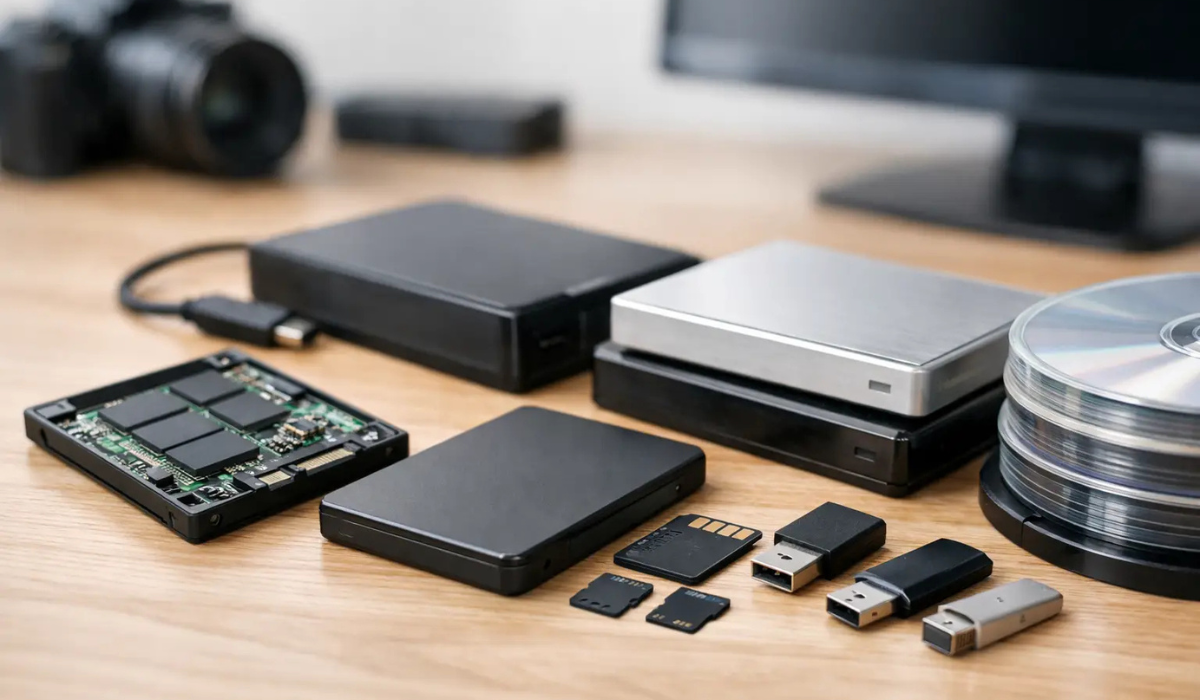
A backup drive can survive years of careful handling and still fail in the one moment that matters most - during a house fire, a burst pipe, or a smash-and-grab theft. That is why choosing media safe for SSD backup storage is different from buying a standard document safe. Paper, cash, and passports can tolerate conditions that solid-state drives often cannot.
If you are protecting family photos, tax archives, client files, gun trust paperwork, or business records stored on SSDs, the details matter. A safe that is excellent for documents is not automatically a good fit for digital media. The right choice comes down to heat control, moisture resistance, and realistic expectations about what a fire rating actually protects.
Why media safe for SSD backup storage is different
Most people shop safes by asking one simple question: is it fireproof? That is understandable, but for SSD backup storage, the better question is how much internal heat the safe allows during a fire. Paper can usually withstand higher internal temperatures than digital media. SSDs do not have moving parts like hard drives, which helps with shock and vibration, but their chips and controllers are still electronic components. Excess heat can damage them long before paper would char.
This is where many buyers get tripped up. A standard fire safe may be rated to protect paper documents for 30 minutes, 60 minutes, or longer. That sounds reassuring until you realize the acceptable internal temperature for paper storage is much higher than what is considered safer for media. If your goal is true media protection, you want a safe specifically designed and rated for digital media, not just paper.
What a media safe rating actually means
A media safe is built to keep the inside cooler than a standard fire safe during extreme heat exposure. The insulation, door seals, and body construction are designed around the lower heat tolerance of magnetic and electronic storage media.
For SSD backup storage, that lower interior temperature is the big advantage. Even though SSDs differ from tapes, optical discs, and traditional hard drives, they still benefit from the same principle: less internal heat exposure means a better chance of the data surviving.
That said, there is a trade-off. True media safes are often heavier, more expensive, and sometimes smaller inside than buyers expect because the insulation takes up more space. If you need to protect a lot of drives, or you want room for documents and valuables too, capacity planning matters just as much as the rating.
Paper fire safes vs media safes
A paper fire safe is made to protect items like birth certificates, deeds, and cash. A media safe is made for more temperature-sensitive contents. That does not mean every SSD will fail in a paper-rated safe, or that every media safe guarantees survival in every fire. Real fires vary by temperature, duration, ventilation, and collapse conditions.
Still, if your backups are irreplaceable, it makes little sense to rely on a paper standard when a media-specific option exists. The safer approach is to match the safe to the vulnerability of the item inside.
Are SSDs easier to protect than hard drives?
In some ways, yes. SSDs are more resistant to drops, vibration, and rough handling because they do not rely on spinning platters or read heads. That makes them a practical backup choice for home users, photographers, small business owners, and anyone who wants a compact off-device copy of important files.
But physical toughness is not the same as disaster toughness. Heat is still a serious threat. So is moisture, especially after firefighting efforts. Smoke, steam, and sudden temperature changes can all create problems inside electronics. If a safe is only focused on fire and ignores water or humidity, your SSDs may still be at risk.
How to choose a media safe for SSD backup storage
Start with the fire rating, but do not stop there. The safest option is a model that specifically states it is intended for media storage. If the product description only talks about documents, assume it is paper-rated unless proven otherwise.
Next, look at water protection. Fire often brings water with it, whether from sprinklers, hoses, or a damaged roof. A water-resistant safe can help, but pay attention to the wording. Water-resistant is not the same as waterproof, and neither term tells the whole story unless the manufacturer explains test conditions.
Humidity control is another factor that rarely gets enough attention. If you store SSDs long term, especially in a garage, workshop, basement, or non-climate-controlled office, moisture can build up inside the safe over time. In that case, interior organization and moisture management matter. Some owners use desiccants, but the safe itself still needs to provide a stable environment.
Security against theft matters too. A burglar who walks off with the safe does not care about the fire rating. For home use, look at body strength, door construction, lock quality, and anchoring capability. For business use, especially if the safe is in a back office or retail setting, placement and bolt-down options should be part of the buying decision.
Size and layout matter more than people expect
SSD backups do not take up much space, but the accessories do. Protective cases, labels, waterproof pouches, cable adapters, and duplicate sets all add bulk. If you are storing multiple drives for rotating backups, leave room to keep them organized. A crowded safe is harder to manage, and that increases the odds of accidental damage or confusion during an emergency.
It also helps to separate digital media from items that could affect it. Loose batteries, liquids, and harsh cleaning products do not belong in the same compartment. A safe should improve your control over stored items, not turn them into a jumble.
Where media safes fit for home and business users
For homeowners, a media safe makes sense when the backup contains files you cannot realistically replace - scanned legal documents, tax history, family photos, estate records, home inventory files, or encrypted password backups. If you already use a larger fire safe for documents or valuables, a dedicated interior media insert or separate media-rated unit may be the cleaner solution.
For businesses, the stakes can be higher. Customer records, accounting files, compliance documents, surveillance exports, pharmacy logs, employee files, and daily backups all have operational value. Downtime is expensive, and rebuilding lost data is not always possible. In those settings, media protection should be treated as part of continuity planning, not just storage.
Common mistakes when storing SSD backups in a safe
One common mistake is assuming any fireproof safe is good enough. Another is storing the only backup copy in the safe and feeling done. A safe protects against local physical threats, but it does not replace a broader backup strategy.
Another issue is poor environmental placement. Putting a safe in a damp basement, an uninsulated outbuilding, or a flood-prone area can create new risks. Even a well-built safe performs best when installed in a reasonable location.
Some people also skip labeling and rotation. If you maintain multiple SSD backups, clear naming and update schedules matter. Otherwise, you may protect the wrong version perfectly.
The practical standard: protect against more than one threat
The best media safe for SSD backup storage is not just the one with the strongest fire claim on paper. It is the one that fits your actual risk profile. For one buyer, that means a compact media-rated safe in a climate-controlled home office. For another, it means a heavier burglary-resistant safe with anchoring features and interior organization for multiple drives.
If you are comparing options, ask simple, direct questions. Is this safe rated for media or only paper? What internal temperature is it designed to maintain? What are the water protection limits? Can it be anchored? How much usable interior space remains after insulation? Those answers tell you far more than marketing language ever will.
At Secure Zoned, that is usually the point where buyers make a better decision - when they stop shopping by label alone and start matching the safe to what they are actually trying to protect.
A good backup plan deserves physical protection that is just as deliberate. When the files matter, the safe should be built for the media, not just for the shelf it sits on.