
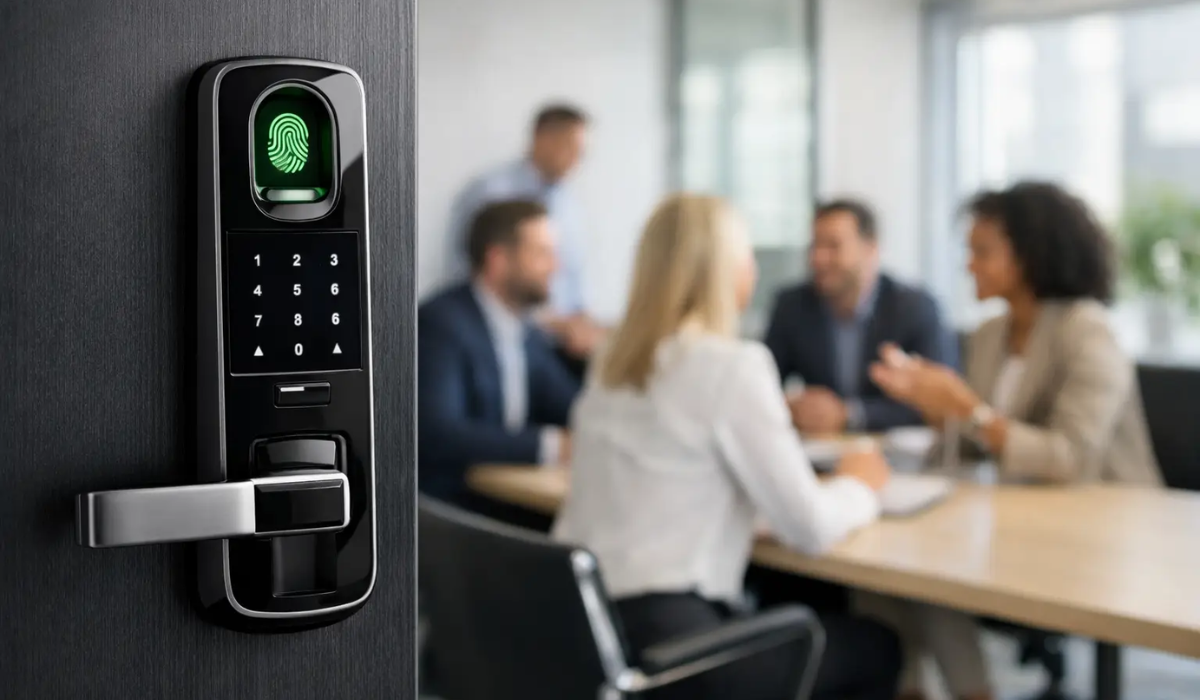
A lost office key is more than an inconvenience when it opens a records room, supply closet, cash office, or executive suite. Biometric door locks for offices replace the uncertainty of shared keys with access tied to a specific person. That can make daily entry simpler, but only when the lock, door, user policies, and backup plan are chosen with the same care as any other security investment.
For a small office, a biometric lock may be a practical way to control a few sensitive doors without issuing and collecting keys. For a larger workplace, it may be one part of a broader access-control system. The difference matters. A fingerprint reader is not automatically the right answer for every door or every team.
What biometric office locks actually do
Most office biometric locks use a fingerprint reader to identify an authorized user. Depending on the model, the lock may also accept PIN codes, key cards, mobile credentials, mechanical keys, or a combination of these options. When a user presents an approved credential, the lock releases the latch or deadbolt.
The strongest benefit is accountability. Traditional keys can be copied, misplaced, or passed from one employee to another with little visibility. A biometric credential is harder to casually share. When an employee leaves, an administrator can remove that person from the lock's authorized user list instead of rekeying the door.
That said, biometric access is not the same as a complete access-control program. Many standalone locks store fingerprints and user settings at the door. They may not provide real-time alerts, centralized activity reporting, remote administration, or integration with alarms. Those features are often available in networked systems, but they increase cost and installation complexity.
Where biometric door locks for offices make sense
These locks tend to work best on interior doors where a business wants controlled access without building out an enterprise-grade system. Common examples include accounting offices, file rooms, IT closets, medication storage rooms, back offices, private meeting rooms, and employee-only entrances.
They are particularly useful where a manager needs to know that access is limited to a small, changing group. A retail store's cash-counting room is a good example. Instead of giving keys to every supervisor, the owner can enroll approved managers and remove credentials promptly when roles change.
For exterior doors, the decision needs more scrutiny. Exterior openings face weather, higher traffic, potential forced-entry attempts, and life-safety requirements. A consumer-grade biometric deadbolt may be convenient, but it is not necessarily suitable for a commercial entrance. Verify the lock's weather rating, door compatibility, ANSI/BHMA grade, and local code requirements before treating it as a primary perimeter lock.
Start with the door, not the reader
A lock can only perform as well as the door and frame supporting it. Before comparing fingerprint capacity or mobile app features, inspect the opening itself. Is it a solid-core wood door, hollow metal door, aluminum storefront door, or glass door? Does it use a cylindrical lock, mortise lock, deadbolt, or panic hardware? Is it fire-rated?
A fire-rated door should not be modified casually. Drilling holes or installing unapproved hardware can affect the door assembly's fire rating and code compliance. Likewise, an exit door may require free egress from the inside at all times. Employees must be able to leave without presenting a fingerprint, entering a code, or using a key.
Commercial doors also see more cycles than residential doors. A lock on a busy staff entrance may be operated hundreds of times each day. Look for hardware designed for the expected traffic level, and confirm the warranty covers commercial use. A lower-priced smart lock can make sense for a lightly used office door, but it may be a poor fit for a high-traffic entrance.
Choose the right credential mix
Fingerprints are convenient because employees do not need to carry anything. Yet convenience can become a problem when a reader struggles with wet fingers, lotion, dust, minor cuts, or worn fingerprints. This can be more common in warehouses, restaurants, clinics, and field-service offices.
For that reason, biometric access works best with a reliable fallback credential. A PIN is useful for an enrolled employee whose fingerprint will not read that morning. A key card or fob can be faster for frequent entry. A mechanical override key may be appropriate for a manager, though it should be controlled carefully and never stored where unauthorized people can find it.
Avoid using one shared PIN for the whole office. It is easy to remember, but it eliminates much of the accountability that makes electronic access worthwhile. Give each employee a unique code or credential, and remove it as soon as their access should end.
Capacity and user management matter
Check how many fingerprints, PINs, cards, and administrator accounts the lock can store. A lock rated for 50 users may be plenty for a small accounting firm but inadequate for a clinic with rotating staff. Also ask how credentials are added and deleted. If enrollment requires every employee to be physically at the door with a master code, offboarding can become inconsistent.
Models with an audit trail can show which user opened the door and when. That feature is valuable for sensitive storage areas, but read the specifications closely. Some locks retain only a limited number of events, while others require a connected hub or subscription for history and alerts.
Plan for power failures and lockouts
Electronic locks run on batteries, hardwired power, or both. Battery-powered units are often easier to install and can continue operating during a building power outage. Their drawback is maintenance. Someone must be responsible for checking low-battery warnings and replacing batteries on schedule.
Choose a lock with clear low-battery alerts and an emergency power option, such as external contacts for a 9-volt battery or USB power. Confirm what happens when the batteries are fully depleted. The answer should be documented in your office procedures, not discovered while someone is locked out of a critical room.
Fail-safe and fail-secure behavior also deserve attention on electrified commercial hardware. A fail-safe lock unlocks when power is lost, while a fail-secure lock stays locked. Neither is universally better. The correct choice depends on the door's purpose, emergency egress requirements, fire code, and whether the room protects people, assets, or both. A qualified commercial locksmith or access-control installer can help determine what is permitted for the opening.
Treat fingerprint data as sensitive information
Employees may reasonably ask what happens to their fingerprint data. A quality system generally stores an encrypted biometric template, not a photograph of the fingerprint. Even so, the business should understand where that template is stored, who can access it, whether data is transmitted to a cloud service, and how it is deleted when an employee leaves.
Keep biometric enrollment limited to doors where the added control is justified. A fingerprint lock on a supply closet with no sensitive contents may create more administrative burden than value. For records, payroll, controlled medications, cash, or server equipment, the security case is easier to make.
Create a clear written policy before enrollment begins. Explain the purpose of the system, approved users, backup access procedures, who administers credentials, and how biometric data is handled. State privacy laws can vary, so businesses with employees in multiple locations should have their policy reviewed for applicable requirements.
Pair access control with physical protection
A biometric lock controls who opens the door. It does not protect cash, sensitive documents, firearms, electronics, or backup drives once an authorized person is inside. For higher-value items, layer physical security rather than asking one lock to do every job.
A properly anchored office safe can protect cash, records, and valuables from theft. Fire-rated file cabinets or document safes can help protect critical paperwork from fire. For burglary resistance, look beyond marketing language and compare construction, lock quality, boltwork, anchoring provisions, and recognized ratings when the contents warrant them. A TL-rated safe is built for a very different threat level than a basic office safe.
This layered approach also helps with internal controls. Access to the room can be limited to approved staff, while access to the safe can require a separate code, key, or dual-control procedure. That separation is often more useful than relying on a single access point.
A practical buying checklist
Before purchasing, confirm that the lock fits the door thickness, backset, handing, and existing prep. Verify whether it is rated for commercial traffic and exterior exposure if applicable. Make sure it provides free egress and works with any fire-rated or panic-hardware requirements.
Then consider the daily experience: how many users need access, which backup credential they will use, who receives low-battery alerts, and how credentials are removed. If the door protects especially sensitive assets, decide whether you need an audit trail, remote alerts, or a professionally installed access-control system rather than a standalone biometric lock.
The best office security setup is rarely the one with the longest feature list. It is the one employees can use reliably, managers can administer consistently, and your business can depend on when access truly matters.